
Your morning,
in one place.
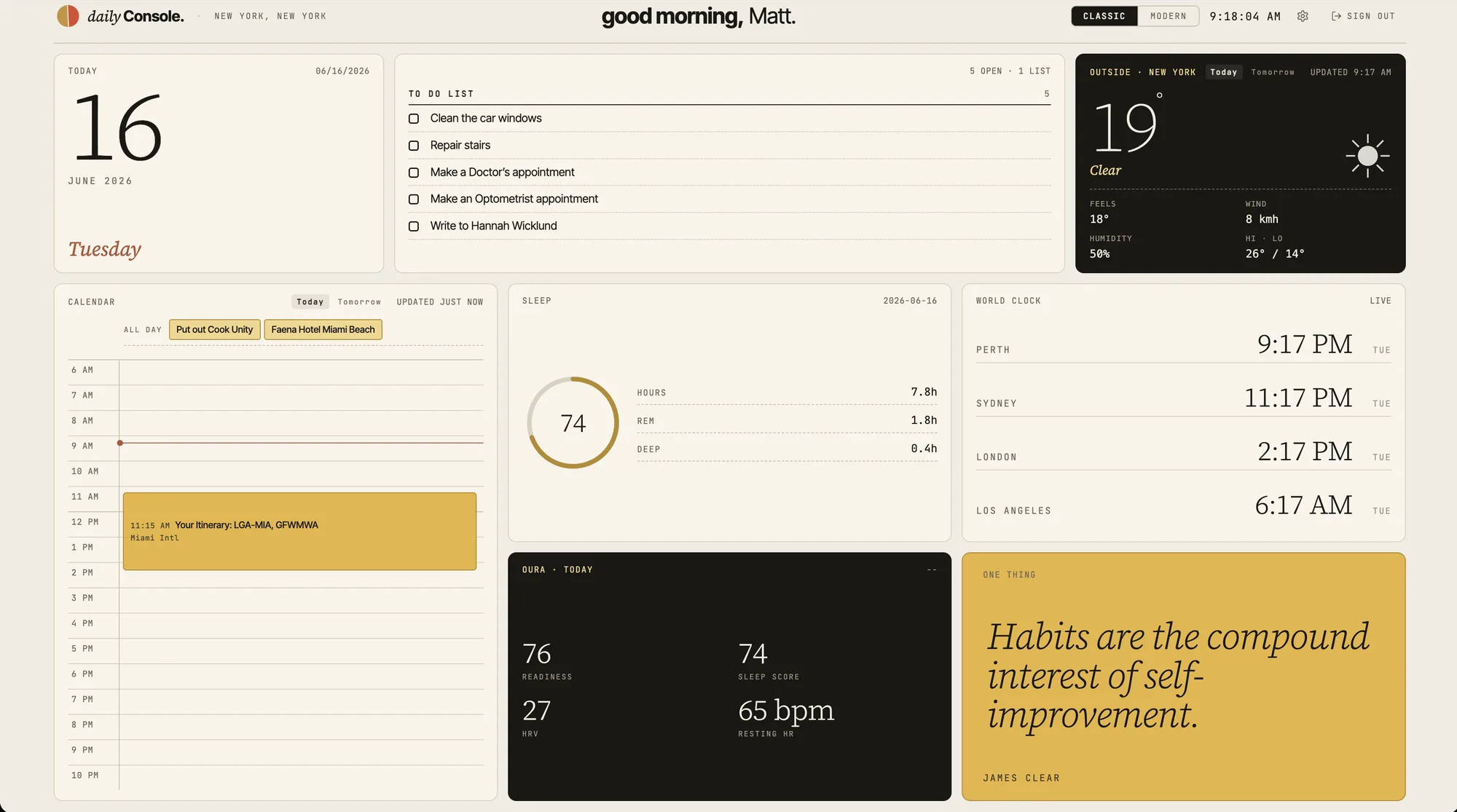
Daily Console pulls your calendar (Apple, Google, Outlook, or any iCal feed), weather, todos, and Oura stats into a single dashboard in your browser. Open it in the morning. Pop back throughout the day.
No commitment. Cancel anytime.
Works in any browser on Mac and Windows. Now on iPhone Duo too.
The problem
Mornings are louder than they need to be.
Calendar in one tab. Weather in another. Todos somewhere else. By the time you've checked everything, you've already lost twenty minutes and some of your focus. Daily Console fixes that.
Features
Everything in one view
Calendar, weather, todos, and your Oura recovery snapshot (readiness, sleep, HRV, resting heart rate) on a single screen. No more tab-hopping.
Connects to what you already use
Apple, Google, Outlook calendars, or any iCal feed, Todoist, Oura, weather, and more.
Built for the first coffee, and every check-in after
Designed for the quiet moment before the day begins, and for the quick glances throughout. Calm, clear, and quick.
How it works
01
Sign up
Create your account in under a minute.
02
Connect your accounts
Link the tools you already use. We pull your data into one place.
03
Morning ritual, daily companion
Open it with your first coffee. Pop back through the day when you need a quick look at what's next, the weather, or the headlines.
Customize
Your dashboard, your way.
Customize what shows up. Hide what doesn't matter. Make it yours.
Warm paper tones and gold accents - calm and familiar.
New · iPhone Duo
Your morning, folded.
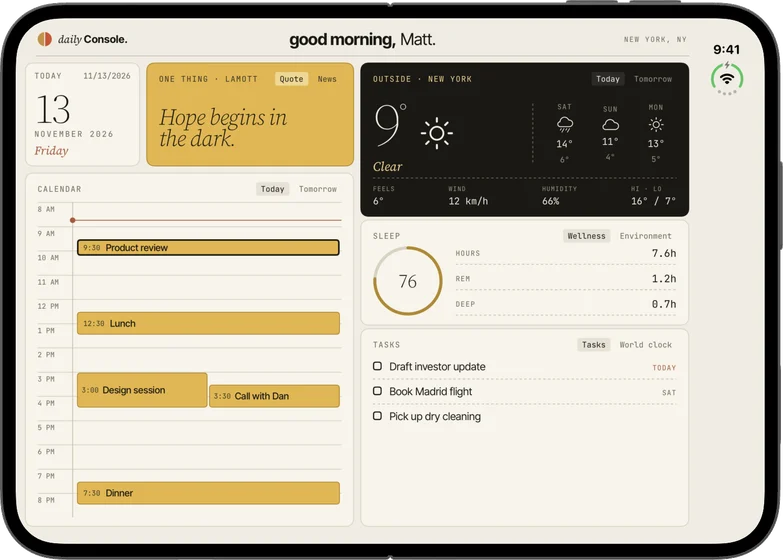
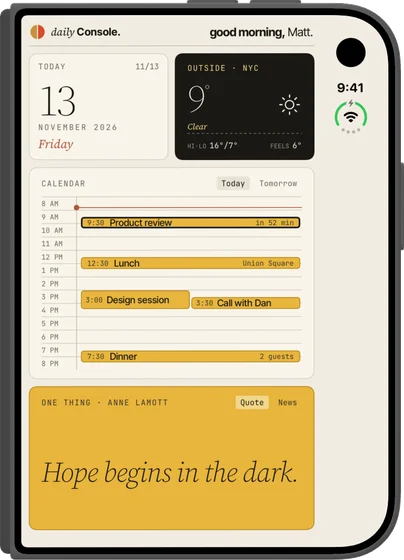
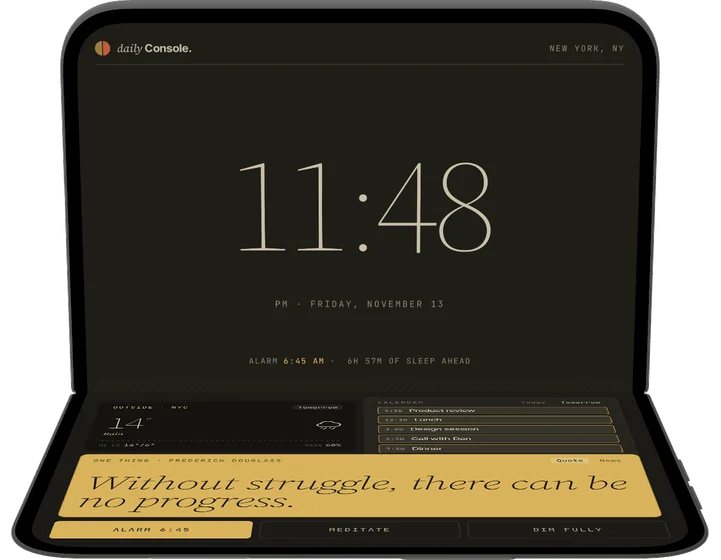
Daily Console now comes as a native app for iPhone Duo, and the layout follows the fold. Open it for the full console. Close it for a quick glance. Stand it half-folded on the nightstand and it becomes a bedside clock with tomorrow ready to go. Calendars and reminders come straight from your iPhone, so it works on its own.
Subscribe in the app through the App Store, or sign in with your web subscription.
Pricing
What it costs.
Try it free for 7 days. Keep going if you love it.
Both plans include all features. 7-day free trial, no credit card surprises.
One subscription covers both. Subscribe on the web, or in the iPhone Duo app through the App Store, at the same prices.
FAQ
Things people ask.
What does Daily Console connect to?
Right now: Apple iCloud (via CalDAV), Google Calendar (via OAuth), any iCal subscription URL (Yahoo, Fastmail, Proton, Nextcloud, holiday or sports calendars), Oura (readiness, sleep, HRV, resting heart rate), Todoist, and weather services. More integrations are added regularly based on what users ask for. On iPhone Duo, the app reads the calendars and reminders already on your iPhone.
Can I customize what shows up?
Yes. You can swap what information is displayed in each panel — choose which widgets fill each slot. The weather, calendar, and date panels are fixed, but everything else is up to you.
What happens after the free trial?
If you love it, you'll be billed at your chosen plan. If not, cancel before the 7 days are up and you won't be charged. The trial is the same on the web and on iPhone Duo.
Can I cancel anytime?
Yes. One click from your account settings. No phone calls, no friction. On iPhone Duo, manage or cancel your subscription in your Apple account settings.
Is my data private?
Your data is yours. Each user's dashboard is entirely separate — nothing is shared between accounts. We don't sell your data, and we don't train AI models on it. Connections to Google, Oura, iCloud, etc. use standard OAuth or CalDAV credentials, and you can disconnect any of them anytime from Settings.
Does Daily Console work on mobile?
On iPhone Duo, yes. There's a native Daily Console app on the App Store, designed around the fold: the full console when it's open, a glance when it's closed, and a bedside clock when it's half-folded. On other phones, not yet. The dashboard needs more room than a standard phone screen gives it, so use it on your Mac or Windows PC, your iPad, or any tablet.
Does Daily Console work on Linux or Chromebook?
Daily Console runs in any modern browser on Mac and Windows. It's a web app, so Linux desktops and Chromebooks are technically supported too, though we don't actively test them. If something looks off on Linux, email info@onetrickpony.net.
I have feedback or a feature request — how do I share it?
Email me directly at info@onetrickpony.net. I read every message.
Make mornings less chaotic.
Three minutes to sign up. Seven days to decide.
Works on Mac and Windows, on desktop or tablet, and on iPhone Duo.